CVE-2026-16232: Admin Access to Your Firewall, No Password Required
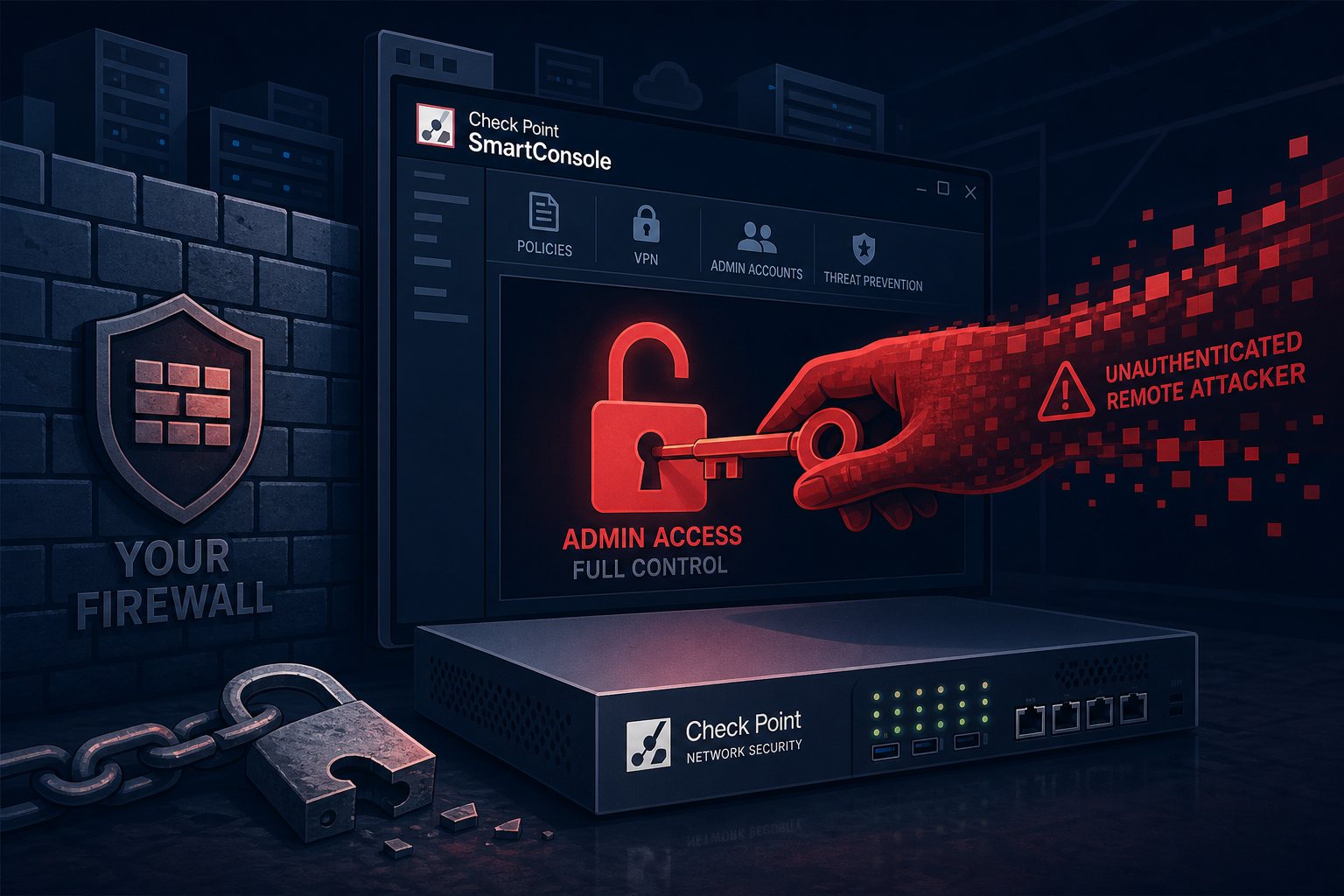
Your firewall is supposed to be the thing that stops attackers. So what happens when the system you use to manage that firewall — write the rules, configure VPNs, create admin accounts — becomes the attack surface? That's the story behind CVE-2026-16232, a critical authentication bypass in Check Point's SmartConsole management platform that reached active exploitation on July 22 with a CISA remediation deadline that expired yesterday.
What SmartConsole Is, and Why Owning It Is Worse Than Owning a Server
SmartConsole is Check Point's centralized GUI for administering Security Management Servers (SMS) and Multi-Domain Management Servers (MDS). It's the control plane: the interface where administrators distribute firewall policies to gateway devices, manage administrator accounts, configure VPN settings, and control threat prevention across an entire Check Point environment.
Compromising SmartConsole is not the same as compromising a single server. It's compromising the system that tells all your servers what to do.
What the Bug Actually Does
CVE-2026-16232 is classified as an improper authentication flaw (CWE-287) in SmartConsole's login process. The mechanics are clean and alarming in equal measure: an unauthenticated remote attacker requests an application login token, then uses that token to authenticate with full administrative privileges — no username, no password, no credentials whatsoever required.
Check Point assigned a CVSS score of 9.3; CISA scores it 9.1. Both land firmly in critical territory.
Two companion vulnerabilities were patched in the same July 22 advisory:
- CVE-2026-62144 (CVSS 9.3) — a separate authentication bypass enabling remote administrative command execution on the management server
- CVE-2026-62145 (CVSS 7.5) — a privilege escalation in the Gaia Portal, Check Point's web-based OS management interface
Together these three constitute a fairly complete administrative takeover kit for vulnerable environments: bypass authentication, gain admin access, escalate on the underlying OS.
Who Is Actually at Risk
Two conditions must both be true for an environment to be exploitable:
- The Security Management Server or MDS must be reachable from the internet (no perimeter filtering on SmartConsole's port, TCP 19009)
- Trusted Clients — the IP allowlist governing which hosts can connect to SmartConsole — must be unconfigured or set to accept any source
Check Point characterized this as "a very specific configuration," and in a hardened shop, it is. In practice, a non-trivial number of organizations expose their management plane to the internet for remote admin convenience, or simply never configured Trusted Client restrictions after deployment. That population is the "handful of customers" Check Point confirmed were targeted at the time of disclosure. Smart-1 Cloud customers are already protected — the vendor patched the hosted management layer on the backend before the advisory went public.
If your environment uses a jump host, VPN, or IP-restricted Trusted Client list to reach SmartConsole, your exposure is mitigated. If it doesn't, treat this as an open door.
Affected Versions and Where the Fixes Are
Patches ship as Jumbo Hotfix Accumulators for currently supported releases:
- R82.10: Take 36 or later
- R82: Take 118 or later
- R81.20: Take 158 or later
Older versions — R81.10, R81, R80.x, and R77.30 — are out of active support and have no listed hotfix for this vulnerability. If you're running anything in that range, an upgrade was already overdue; CVE-2026-16232 makes the conversation harder to defer.
Check Point also published five attacker IP addresses as indicators of compromise: 151.241.99.207, 151.241.99.233, 158.62.198.182, 192.142.10.99, and 139.28.37.250. Pull your Management Server connection logs and audit any traffic from those addresses going back at least 30 days.
What to Do Right Now
If you manage Check Point firewalls — or work with an MSP that does — run through this list today:
- Check internet exposure. Verify whether your SMS or MDS is reachable from external IPs on TCP 19009. If it is and you don't intend it to be, block it at the perimeter immediately.
- Lock down Trusted Clients. In SmartConsole, go to Manage & Settings → Permissions & Administrators → Trusted Clients. If this is set to "Any," change it now to a named list of administrator source IPs or subnets.
- Apply the Jumbo Hotfix. Install the appropriate take — R82.10 Take 36+, R82 Take 118+, or R81.20 Take 158+ — following Check Point's sk115173 process. Test in staging if possible; if not, a 15-minute maintenance window beats a full policy compromise.
- Review IOC matches in your logs. Search connection logs for the five published attacker IPs and investigate any hits, including connections that appear to have been refused.
- Audit administrator accounts. Look for any accounts created or modified after July 22 that you don't recognize — especially if your Management Server had any period of open internet exposure.
The Pattern Behind the Pattern
This is the second management-plane security appliance zero-day to reach confirmed exploitation in roughly six weeks. SonicWall's SMA1000 SSRF chain (CVE-2026-15409, CVSS 10.0) hit in mid-July. The trend is consistent with what threat intelligence teams have been tracking all year: ransomware affiliates and financially motivated groups are deliberately targeting security infrastructure rather than applications. Administrative access to your firewall management layer is worth more to an attacker than a web shell — it lets them quietly rewrite rules, disable logging, and open access paths before the primary intrusion begins.
The mitigation is straightforward but requires discipline: management interfaces belong behind strict IP allowlists, VPNs, or dedicated jump hosts — never directly on the public internet. That single architectural decision eliminates the exposure class that both of these vulnerabilities required to be exploitable.
At Falcon Internet, keeping management interfaces off the public internet is part of how we design and operate every managed hosting environment — paired with 24x7x365 NOC monitoring for anomalous policy changes on the systems we manage.